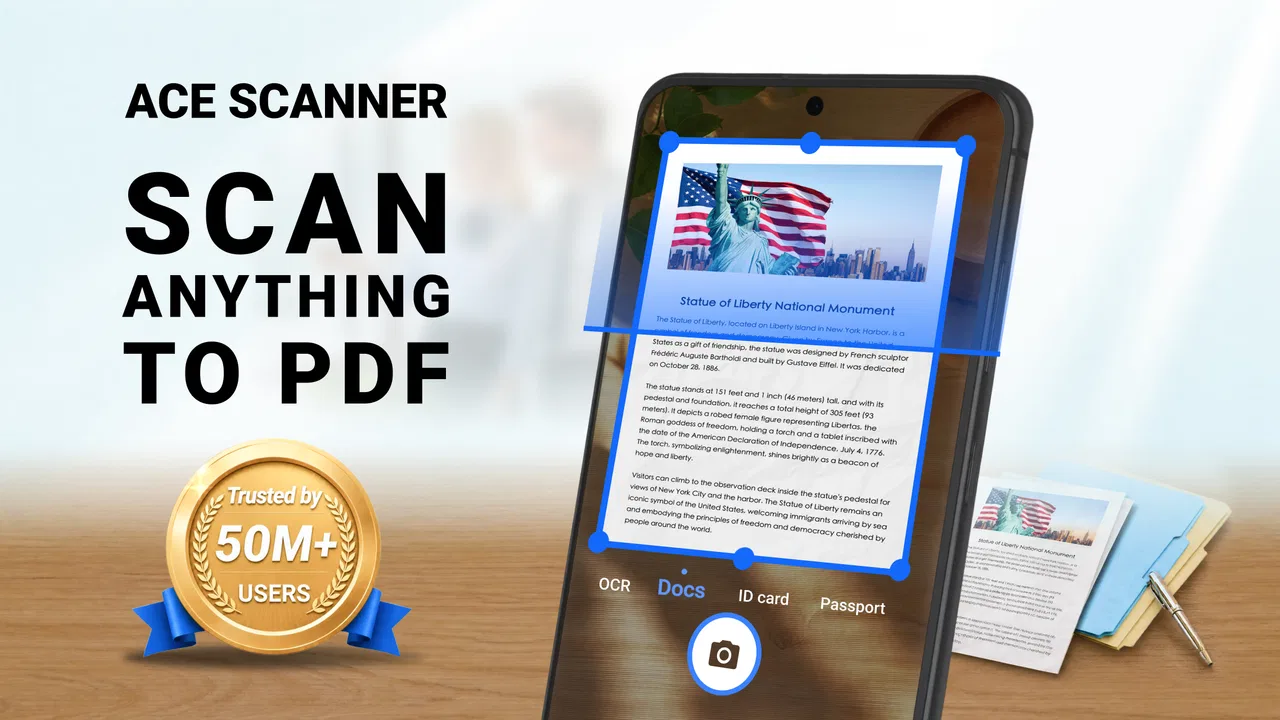
ACE Scanner - PDF Scanner App
- 4.4
- Rating
- 50.00M
- Installs
- Free
- Price
 Analysis by App-foxy
I approached ACE Scanner - PDF Scanner App as a practical question rather than a feature hunt: can it make everyday document capture easier than using a phone camera, and is it worth keeping as a regular productivity tool? After using it for that purpose, my answer is yes for quick, mobile-first scanning, although the right choice depends on how much control you need over document processing, storage, and editing.
This is a free productivity app from QR Code Scanner, aimed at turning documents and photos into PDF files that are easier to send or share. It is available to users aged Everyone, works on devices running Android 6.0 or later, and the current version is 1.4.7.122. Those details matter because the app is not positioned as a specialist office suite; it is a straightforward utility for people who want a scanner in their pocket without carrying extra equipment.
How I would decide whether ACE Scanner fits your workflow
My first decision criterion is speed. If I have a receipt, signed form, school handout, or page of notes in front of me, I want to capture it, turn it into a usable file, and share it without opening several unrelated apps. ACE Scanner makes sense when that short path is more important than a large collection of advanced document-management tools.
You May Also Like

 Blood Strike: 2.5 Anniversary
Blood Strike’s Loadouts Turn Every Drop Into a Tactical Gamble
A close look at Blood Strike’s custom loadouts: how fast access to signature weapons reshapes its battle royale rhythm, rewards preparation, and narrows the gap between fights.

 Pandora - Music & Podcasts
Pandora’s Music Is Easy to Start, but Harder to Recover
Pandora’s strength is its low-effort path from a seed to a station. Its weak spot is how much confidence it asks you to place in connection, setup, and quiet recovery.

 8 Ball Pool
 Is Built on Rivalries, Rematches, and Routine
A close look at the rivalries, rematches, shared routines, and unanswered safety questions that turn a quick pool match into a persistent mobile community.

 Samsung Music
’s Quiet Strength Is Playing What You Already Own
Its reach comes less from spectacle than from dependable access to a personal library. That simplicity is both the app’s strongest retention engine and its ceiling.

 AccuWeather: Weather Radar
AccuWeather Review: A Quick, Clear Forecast for Everyday Decisions
For everyday plans, the best forecast is the one you can understand quickly. AccuWeather makes rain timing, radar, and local conditions easy to act on, with a few trade-offs.

 Hill Climb Racing
Why Hill Climb Racing Still Turns Crashes Into One More Run
A tiny car, a bumpy hill and one more upgrade: Hill Climb Racing keeps resurfacing because its simple chaos makes every near-miss feel personal.
More From Our News Desk



The second criterion is the kind of material you scan. A few clean pages are a different problem from a long archive, delicate paperwork, or documents that need precise text recognition and careful formatting. A phone scanner is convenient because it travels with you, but convenience does not automatically make it the best instrument for every document.
I also look at the destination. A PDF intended for an email attachment or a messaging app has different requirements from a file that will be edited repeatedly, searched by text, or stored as part of a large professional archive. ACE Scanner is most appealing when the finished document simply needs to look organized and be easy to send.
Finally, I consider how much friction I can tolerate around payment. The app is free to install, while in-app purchases range from $4.99 to $49.99 per item. That does not make the free entry point meaningless, but it does mean I would test my real workflow before paying for anything. A casual user may never need to spend money; a frequent scanner should first make sure the available experience matches their expectations.
The first practical test: a document that needs to leave the phone quickly
A realistic example is a rental form received during a move. I might photograph each page, check that the edges are visible, create a PDF, and send it to an agent before the day gets busy. In that situation, the value is not artistic image quality. It is the reduction of small steps between paper and a shareable file.
I would use the same approach for a receipt needed for reimbursement, a page from a textbook, or a handwritten note that I want to keep with other digital files. The app’s focus on scanning documents and photos to PDF makes it better suited to these short, defined jobs than to an elaborate paperless-office migration.
One useful habit is to prepare the scene before scanning. A flat surface, even lighting, and a clear background usually matter more than repeatedly retaking a page later. I also check every page before sharing, especially when the document contains signatures, small print, or numbers. A scanner app can simplify capture, but it cannot compensate for a folded page or a finger covering important text.
Where the app feels strongest
The clearest strength is its focused purpose. ACE Scanner is not asking me to learn a broad productivity system before I can create a PDF. The basic idea is easy to understand: capture paper or a photo, produce a document, and share it. That makes it approachable for students, families, freelancers, and anyone who scans only occasionally.
I also like the fact that it treats photos as part of the same problem. Sometimes the original is already in the camera roll, perhaps because someone sent a picture of a document or because I captured it earlier. Having a scanner-oriented route for turning that image into a PDF can be more convenient than starting over with a physical page.
Another advantage is portability. A dedicated scanner can still be preferable for volume, but I do not carry one when I am visiting a client, attending a class, or handling paperwork away from home. A phone-based tool is available at the moment the need appears, which is often the difference between completing a task immediately and postponing it.
The app’s public reception also suggests that this simple use case resonates with many people: it has a 4.5 average from around 435 thousand ratings and more than 50 million installs. I do not treat popularity as proof that every workflow will suit me, but it does indicate that this is an established utility rather than an obscure experiment.
Small workflow choices that make a noticeable difference
I would keep scans grouped by task instead of creating one enormous file by accident. For example, a multi-page application should stay together, while unrelated receipts should be handled separately. This keeps sharing manageable and makes it easier to find the right attachment later.
I would also rename files immediately if the app allows that in the workflow I am using. A descriptive name such as a month, document type, or project is more useful than relying on a default camera-style label. This is a small step, but it prevents the common problem of having several nearly identical PDFs and no idea which one contains the final page.
For important paperwork, I would inspect the PDF after creation rather than assuming the first preview is enough. Look at corners, signatures, dates, and the smallest text. If a page is skewed or shadowed, rescanning it before sending is far less embarrassing than asking the recipient to explain what cannot be read.
There is also a privacy-minded reason to be selective. Scanned documents can contain addresses, identification details, financial information, or signatures. I would avoid scanning sensitive material casually in public, check the sharing destination carefully, and remove temporary copies from places where I do not want them. The convenience of a mobile scanner should encourage better habits, not replace them.
Where a different category may fit better
ACE Scanner is not automatically the best choice for high-volume office work. If I had boxes of pages to process, I would look toward a desktop scanner or a document-management solution designed around batch handling. Physical equipment can offer a more controlled feed and a more repeatable process, while a phone is better at flexibility than throughput.
A general camera app may be enough when I only need a readable picture and do not care about presenting it as a document. For a single image sent in a chat, opening a dedicated scanner can feel like an extra step. The advantage of ACE Scanner appears when I want the result organized as a PDF rather than merely attached as a photograph.
Cloud office suites may be a better match for people who already keep documents inside a larger collaboration system. If the important part of the job is editing, commenting, shared access, or connecting scans with other files, a scanner-focused app may not cover the whole process. In that case, I would compare the complete workflow rather than judging only the capture screen.
Likewise, users who depend on searchable text should be careful about their expectations. A picture inside a PDF is not the same as a fully searchable, editable document. If recognition accuracy, language support, or complex layout preservation is central to your work, I would test a representative document before replacing a more specialized scanning solution.
What the free model means in practice
The free price makes ACE Scanner easy to try without committing at the start. That is valuable because scanning needs vary widely. Someone who digitizes an occasional receipt has a very different usage pattern from a freelancer who sends signed documents every day.
At the same time, the listed in-app purchase range is broad, from $4.99 to $49.99 per item. I would not make a purchase based only on the promise of convenience. First, I would scan the types of pages I actually handle, create the PDFs I need, and see whether the workflow remains comfortable after repeated use.
This is also where switching cost matters. Moving from a basic camera routine to ACE Scanner is relatively easy because the main change is the tool used for capture. Moving from a mature document system is more involved: existing files, naming habits, editing routines, and sharing practices may all be tied to the old setup. The app is easiest to adopt as a focused addition, not necessarily as the center of an entire records system.
If I were introducing it to a family member, I would demonstrate one complete task instead of listing every possibility. I would show how to capture a page, review it, create the PDF, and share it. That teaches the useful path without making the person feel that they need to understand a full office suite.
Who should use it, and who should skip it
I would recommend ACE Scanner to students who need to submit pages, renters and homeowners handling forms, freelancers sending signed paperwork, and travelers who occasionally need to digitize documents away from a desk. It is also a sensible backup for anyone who owns a scanner but does not have access to it when a deadline appears.
I would be more cautious for businesses processing large volumes, users with strict archival requirements, and people whose main need is searchable text extraction. Those users should compare specialized alternatives and test the complete output, not just the capture experience.
I would also skip it if I rarely need PDFs at all. If a normal photo already solves the problem, a dedicated scanner app may add unnecessary steps. The best reason to install this app is not that every image must become a PDF; it is that your recurring tasks genuinely benefit from a cleaner document workflow.
My recommendation after weighing the trade-offs
My recommendation is to try ACE Scanner when you want a practical Android productivity tool for occasional or moderate document capture. Its free starting point, accessible purpose, and emphasis on creating shareable PDFs make it useful for everyday paperwork. The developer, QR Code Scanner, has built an app that is easy to understand without turning a simple need into a complicated project.
I would keep my expectations realistic. This is a mobile convenience tool, not a replacement for every professional scanning setup. Before relying on it for an important submission, I would test one complete document, inspect the finished PDF, and confirm that the sharing process suits the recipient. That short trial answers the questions that matter more than a feature list: is the page readable, is the file easy to send, and does the workflow save me time?
With an Everyone content rating and compatibility beginning at Android 6.0, it is accessible to a wide range of Android users. The strong install base and review average add confidence that many people find the basic idea useful, but my final decision would still depend on document type and frequency of use.
In the end, I see ACE Scanner - PDF Scanner App as a good fit for the person who wants paper converted into a presentable PDF without carrying extra hardware. I would choose it for quick forms, receipts, notes, and occasional multi-page tasks. I would choose a desktop scanner, a broader cloud office platform, or a specialized text-recognition tool when volume, collaboration, or searchable archives matter more than immediate convenience.
My practical verdict: install it if your phone is already the tool you reach for when paperwork appears, then judge it on one real document before considering any purchase. For that everyday use, it offers a sensible middle ground between a plain camera and a much heavier document-management system.
FAQs for ACE Scanner - PDF Scanner App
01What is ACE Scanner, and what are its main features?
ACE Scanner is a versatile PDF scanner app designed to turn your smartphone into a portable document scanner. It allows users to scan documents, receipts, notes, and more with high-quality results. The app offers features such as OCR (Optical Character Recognition) to extract text, batch scanning, and cloud storage integration, making it a comprehensive tool for managing digital documents on the go.
02Is ACE Scanner free to use, or does it have any in-app purchases?
ACE Scanner is available as a free download, offering basic scanning functionalities without any cost. However, it also includes premium features available through in-app purchases or subscriptions. These premium options may include enhanced OCR capabilities, additional cloud storage integrations, and the removal of ads for a more streamlined user experience.
03How does ACE Scanner ensure the security and privacy of my scanned documents?
ACE Scanner prioritizes user privacy by implementing robust security measures. The app does not store files on its servers, ensuring that all scanned documents remain on your device unless you choose to upload them to a preferred cloud service. Additionally, it uses encryption protocols to protect your data during transfers and offers password protection for sensitive documents.
04Can ACE Scanner integrate with other apps or services for document management?
Yes, ACE Scanner offers seamless integration with various cloud storage services such as Google Drive, Dropbox, and OneDrive. This feature allows users to easily upload, organize, and share documents across different platforms. Additionally, the app supports exporting files in multiple formats, making it compatible with numerous document management systems and productivity apps.
05Does ACE Scanner support multiple languages for OCR, and how accurate is it?
ACE Scanner's OCR functionality supports multiple languages, making it versatile for users around the globe. The accuracy of the OCR feature is generally high, though it may vary depending on the quality of the scanned document and the language used. Regular updates aim to enhance language support and improve text recognition accuracy, ensuring reliable performance.
Pros
- Fast and accurate scanning capabilities.
- User-friendly interface with intuitive navigation.
- Supports multiple file formats for export.
- OCR feature extracts text efficiently.
- Secure storage options for scanned documents.
Cons
- Limited free version features.
- Occasional ads can be disruptive.
- Requires internet for cloud backup.
- Some features locked behind paywall.
- Limited editing tools for scanned files.

ACE Scanner - PDF Scanner App
Gallery